 Rede
Rede
Family email
Your family's own email address
One address for the school, the club and the dentist. Everyone in the family sees what arrives.
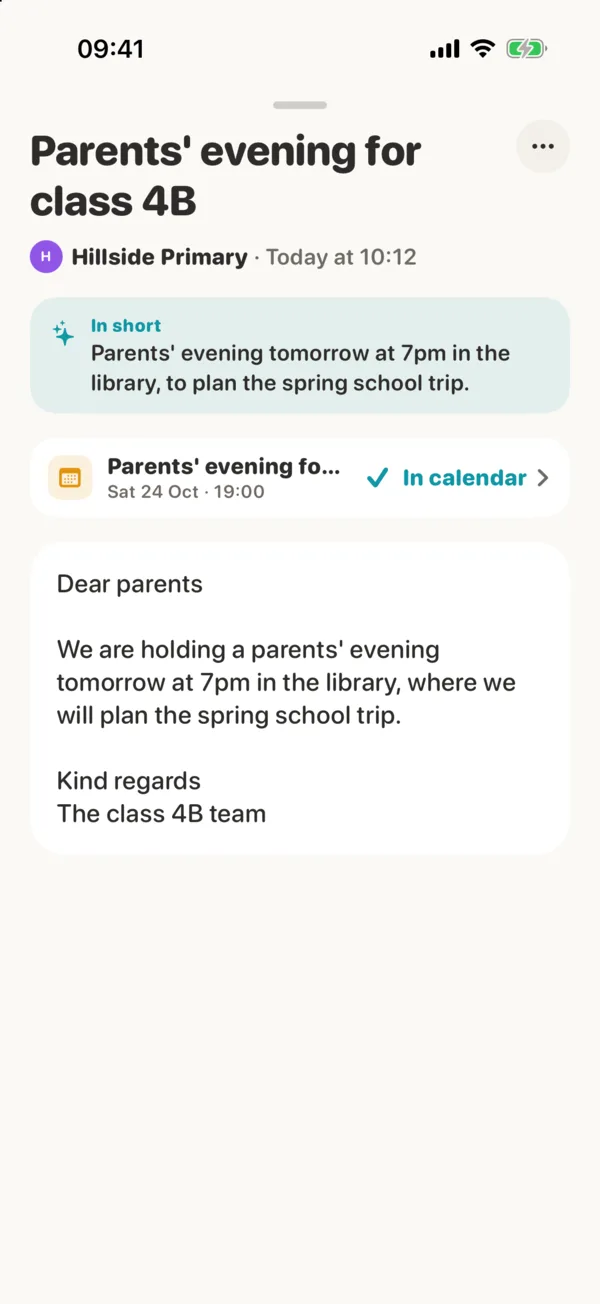
When you create the family in Rede, you pick its email address, like taylor@rede.life. Anything sent there lands in everyone's inbox in Rede, attachments open in the app, and a date in a mail goes into the calendar with one tap. Nobody has to forward the school newsletter to anyone again.
What the inbox does
One address for everything
School, after-school club, sports, shops. Give them the family's address once.
Everyone sees it
Mail lands in each person's inbox, with its attachments.
Dates become events
A parents' evening in a mail is in the calendar after one tap.
Pin it, mark it done
Pin what matters, mark it done for the whole family, and see who did it.
Remind me
Hide a mail until later, and it comes back unread with a reminder.
Short summaries, if you want
Turn on Smart suggestions and Rede can summarise long mails. It's off until you do.
Questions
Can we choose our family's address?
Yes, you pick it when you create the family, for example taylor@rede.life.
Who can read the family's mail?
Everyone in your household. AI only reads it if your household turns Smart suggestions on.
What happens to deleted mail?
It goes to Recently deleted, where you can restore it for 30 days.
Rede next to the others
Make room for the whole family.
Rede is coming to iPhone soon.
See everything in Rede